
Split your text. Sort out your layout.
Need a long list arranged into separate lines or columns? Text Splitter helps organise your text so it's easier to use in your Canva design.
What you can do
Purpose-built functionality crafted for daily workflows.
Separate text into lines
Break text into individual lines for easier placement and editing.
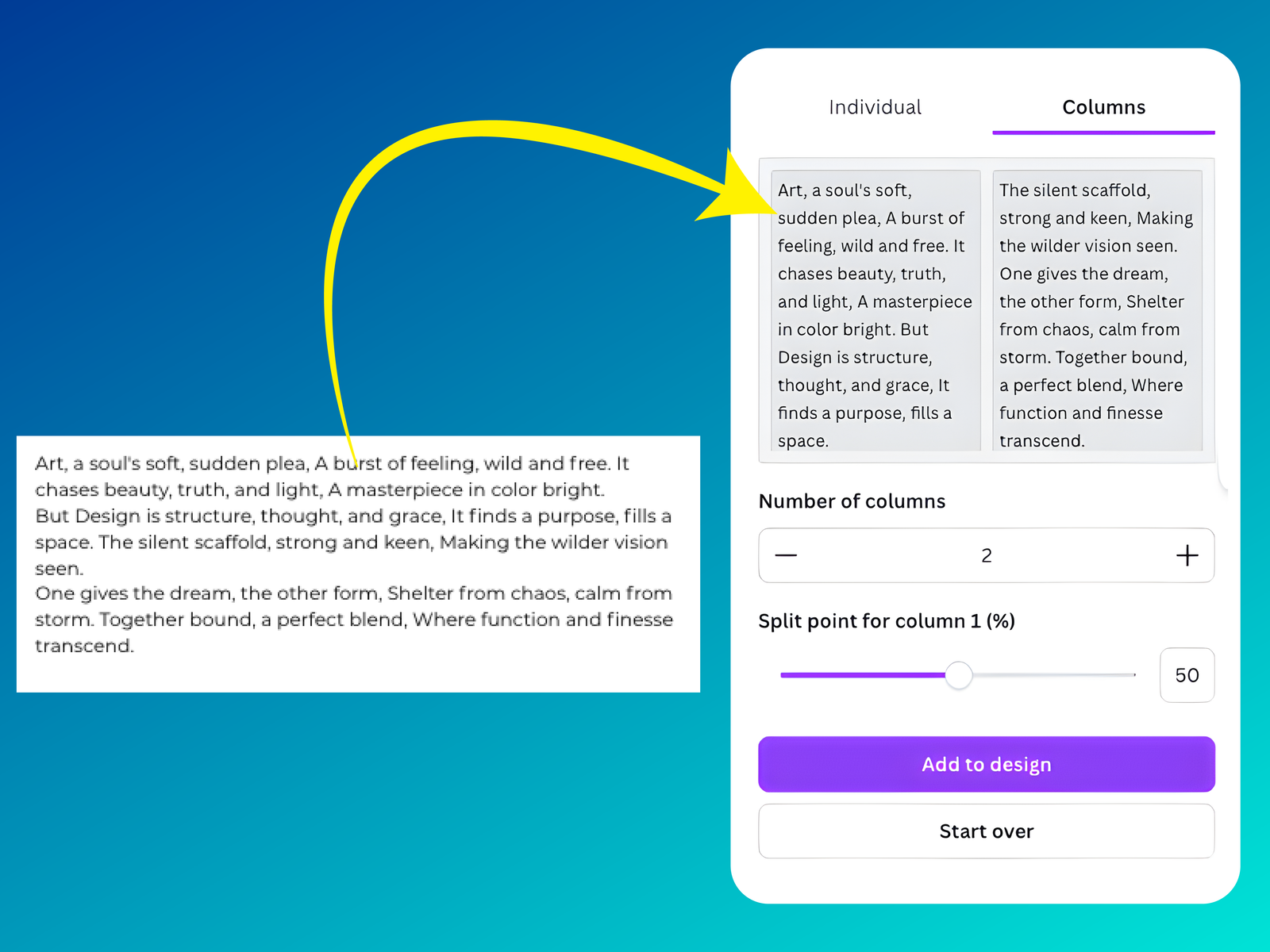
Arrange text into columns
Split content into columns for side-by-side layouts.
Make lists easier to work with
Organise text before adding it to your Canva design.
How it works
01 · Add your text
Enter or paste the text you want to organise.
02 · Choose how to split it
Separate it into individual lines or columns.
03 · Use it in your design
Bring the organised text into your Canva layout.
When text needs to be arranged in a particular way, moving every line by hand can become tedious. Text Splitter helps you break content into separate lines or columns so it’s easier to organise.
Use it for lists, side-by-side layouts, and other designs where the way your text is arranged matters.
Frequently asked questions
Can I split text into separate lines?
Can I use it to make columns?
Can I use the designs and outputs for commercial projects?
More from Craft Mage
Explore other tools we've made to help you get things done.